
Wrapping Up the Week (1/9)!!!
Hello, Lakeview Families!
We’ve officially wrapped up our first week back after winter break, and we are happy to share that we are back in full swing! It has been wonderful to see our students return, reconnect with friends, and jump back into learning routines. The building has been full of smiles, energy, and excitement—it truly felt great to have everyone back.
As we move forward into the second semester, we ask that you please take a few moments to review the materials shared below. These resources are important for helping refresh everyone’s memory on procedures, expectations, and other key information that supports the daily operations of Lakeview. Staying aligned on these details helps ensure a smooth and successful experience for all students.
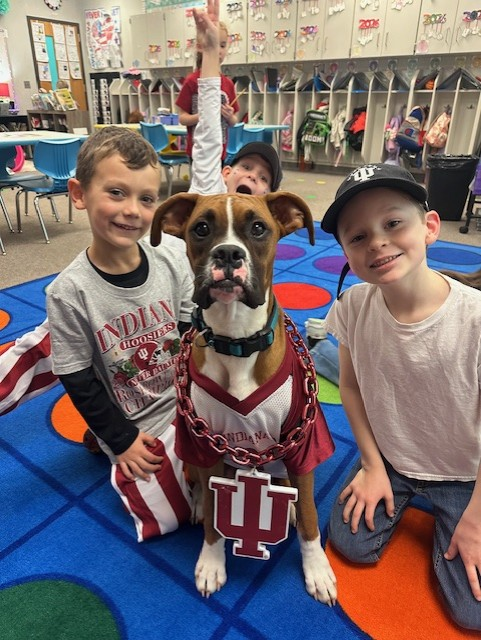
Link to a document with helpful resources and school operations reminders:Thank you for your continued partnership and support. Have a great weekend and go Hoosiers!
👉 Don’t forget to scroll down for new news and reminders.
🦁 New: PreK and Kindergarten Open House-
Attention Families: you are invited to our Pre-K & Kindergarten Open House for the 2026–27 school year. Link to MCCSC site info
Tuesday, Feb. 10, 2026 | 5:30–7:00 p.m.
Enrollment for the 2026–27 school year opens February 2.
🎉 New: Attendance Incentive- We are excited to introduce a new incentive to celebrate classes with strong attendance! Any class with 98% attendance or higher will be recognized each week on our Daily ROAR and will earn a class non-tangible reward from our Attendance Prize Menu.
Please know that attendance is one of the most important factors in supporting your child’s academic growth and development. The elementary years are especially formative for building strong habits and growing lifelong learners.
Thank you for partnering with us by encouraging your child to come to school each day—we appreciate your support!
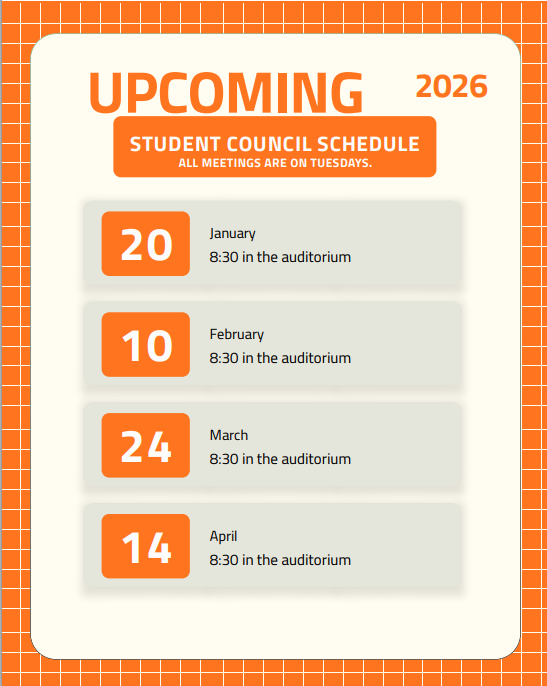
📢 New: Families of Student Council Members
Please see the upcoming Student Council meeting dates listed below. On meeting days, students should plan to enter through Door 13 prior to the meeting time. One of the Student Council teacher sponsors will be present to let students in through this door. If your child arrives late, you can try to enter through the main entrance, or ring the bell at door 13.
Thank you for your support of Student Council—we look forward to a great year of leadership and service!
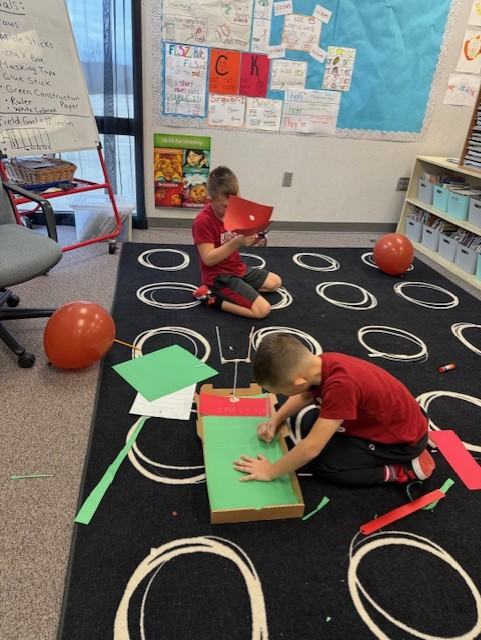
🏈🍑 NEW: STEM Highlight- Students in Mrs. Beane’s class combined math, engineering, and school spirit by designing and building a football field to celebrate the Hoosiers heading to the Peach Bowl! Students used measurement, planning, and problem-solving skills to create accurate field designs while making real-world connections between math, engineering, and athletics. This hands-on project was a fun and engaging way to celebrate the Hoosiers while bringing STEM learning to life.
🦁 REMINDER: Helping Our Lakeview Lions Show CORE-
As we head into winter break, we ask that families take a few moments to review our school expectations with their child. When we return, we will be revisiting these expectations with all students to ensure a smooth and successful transition back to school.
Over break, consider asking your Lakeview Lion about:
CORE — What does it mean?
CORE Cash — How does it work?
How we show CORE in places like the cafeteria, recess, hallways, and restrooms.
These conversations help reinforce our positive school culture, and we appreciate your continued partnership and support at home!
❄️ REMINDER: Winter Weather & eLearning Preparation
To ensure we remain eligible for eLearning days, students will be bringing their iPads home as part of our standard winter procedure. This allows us to be prepared in the event of weather-related delays or school closures.
📱 Important Reminders:
Please keep your child’s iPad in their backpack.
iPads should be used for school purposes only.
Students should access their iPad only if school is closed or during approved remote learning activities.
📝 If your child experienced challenges logging on or completing work during previous eLearning days, please reach out directly to your child’s teacher so we can support you moving forward.
🌨️ Please note: If we experience a winter with frequent inclement weather, eLearning may be used more often. Teachers will be prepared to provide instruction and collect learning data to ensure continued student progress.
❄️REMINDER: eLearning troubleshooting-
The following message was originally shared by the Central Office in October. We are reposting it here for your reference to keep everyone informed about winter weather procedures and eLearning expectations.
📅 Upcoming Events
Report Cards come home: January 16
Martin Luther King Jr. Day (NO SCHOOL): January 19
100th Day of School: January 20